Desktop App · Python · Windows · macOS · Product
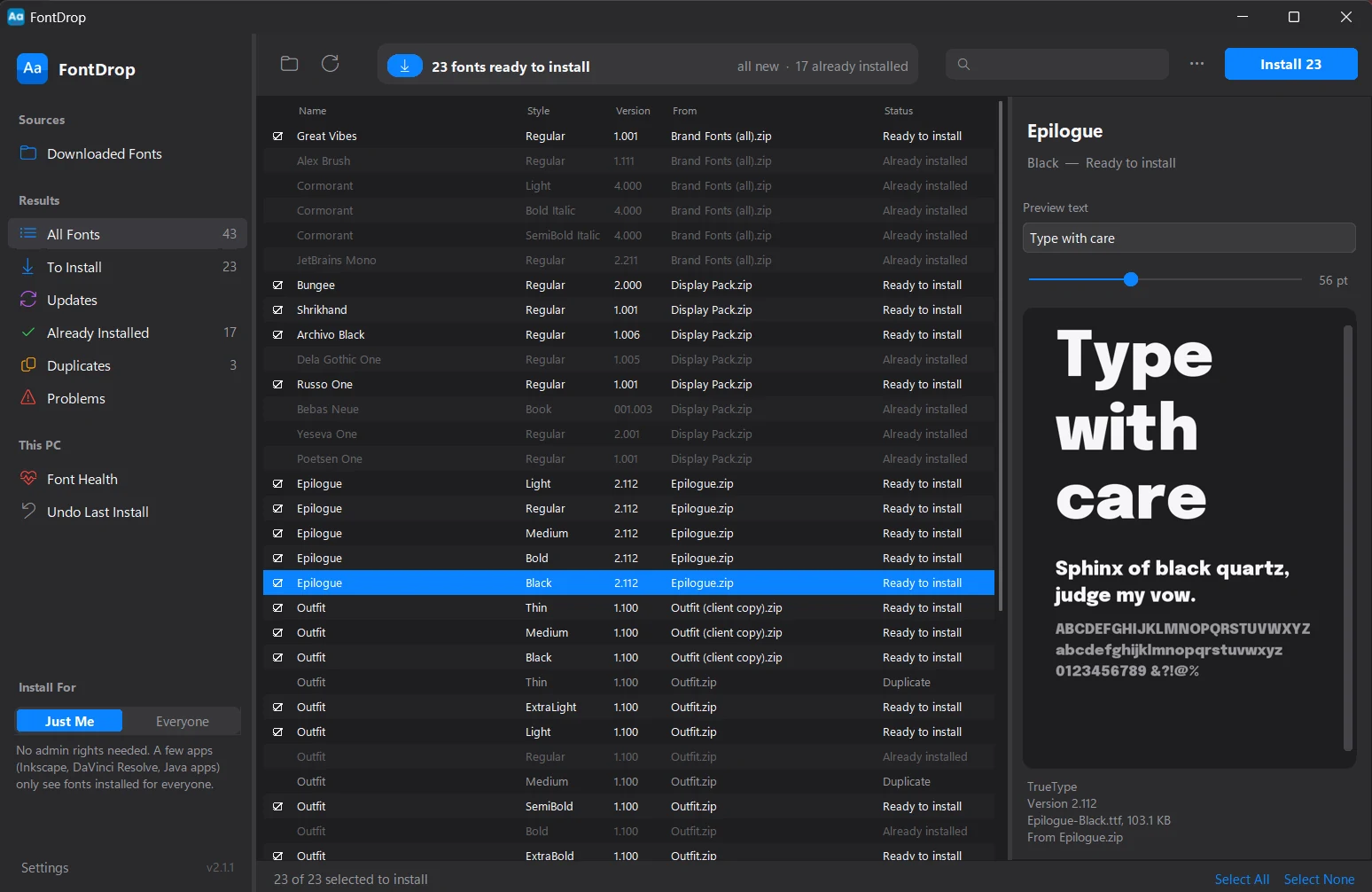
Drop in a folder of zips. FontDrop opens every one, skips the fonts you already have and installs the rest.
Every designer ends up with a downloads folder full of font zips: client packs, foundry downloads, zips inside zips. Windows can't install from a zip at all, so the manual route is unzip, select, right-click, install, and repeat for every pack.
FontDrop is a Windows and macOS app that does that in one go. Choose a folder, or drop folders, zips or font files on the window. It reads every font's real name and version, compares it with what is already on the PC, and shows what is new before anything is installed.
It is a CurioLabs product, built and shipped end to end: the app, the installer, the update pipeline, the license system, the website and the demo video.
None of the individual annoyances are new. They are the same complaints people have had about Windows' own font installer for years, and each one costs a few minutes that add up.
No zip support. Windows won't install from a zip, and Mac zips carry __MACOSX junk that gets in the way.
“This font is already installed”, when it isn't. The cause is a registry entry whose font file is gone. The font looks installed to Windows and is missing everywhere else.
One prompt per font. A newer version of a font asks “replace?” once for every weight.
Fonts some apps can't see. Fonts installed “for me” don't show up in Inkscape, DaVinci Resolve or Java apps, which only read fonts installed for everyone.
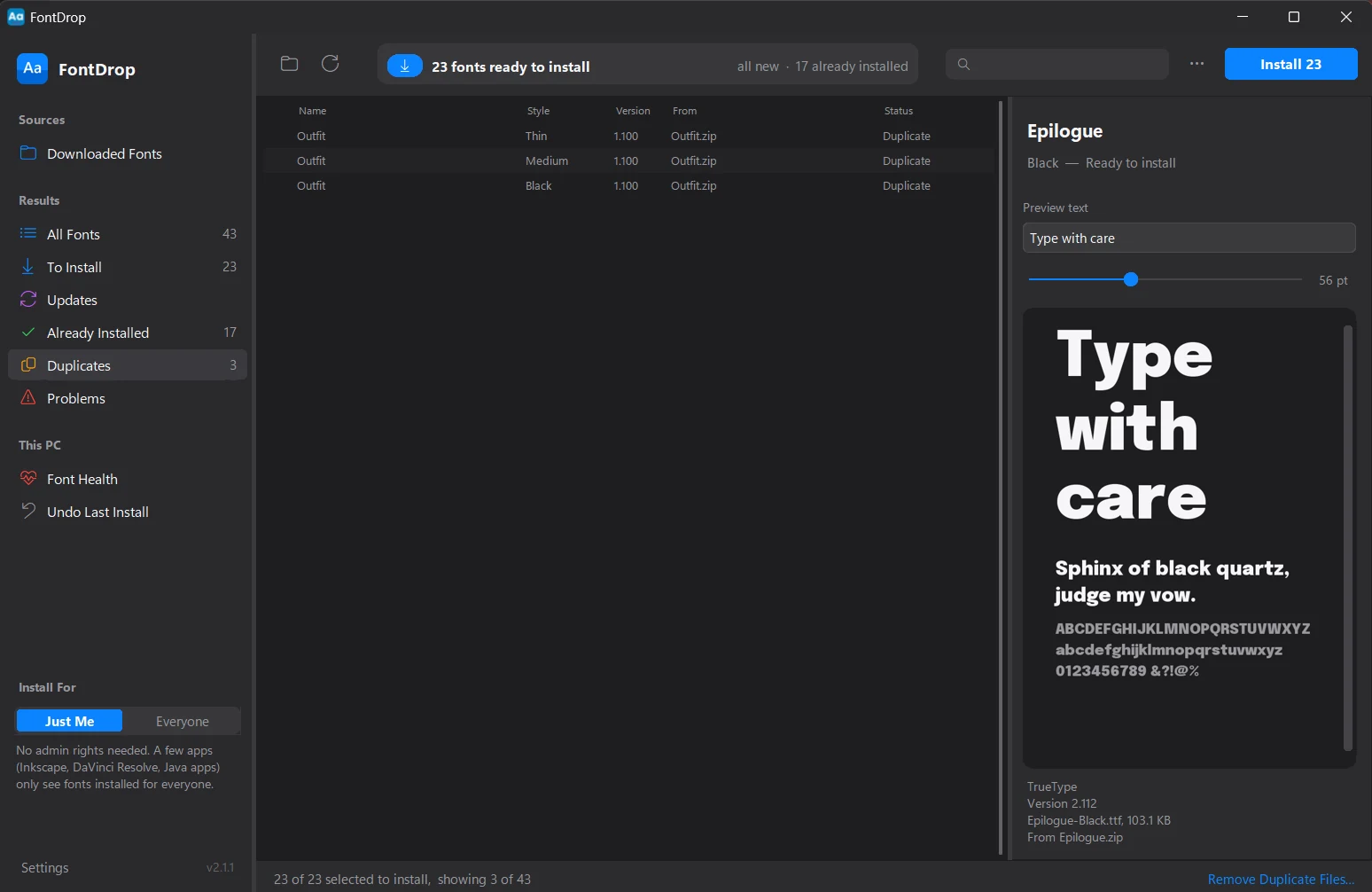
Duplicates. Two copies of the same font confuse every app's font menu.
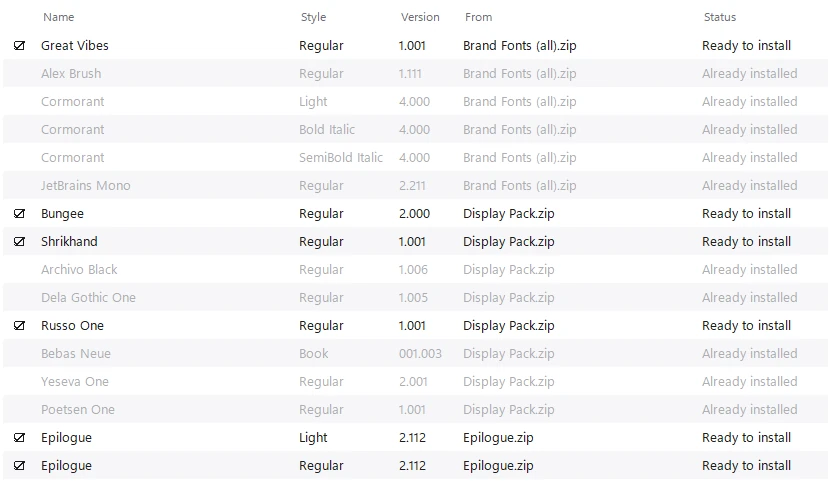
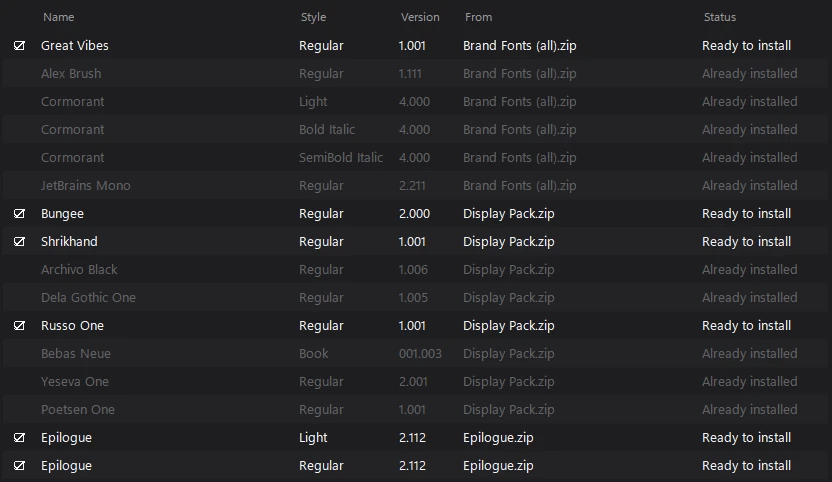
The core decision was to separate looking from doing. FontDrop scans first and installs only when asked. Each font is matched by the name and version stored inside the file, not by its file name, and marked as Ready to install, Already installed, a Newer version of one you have, or a Duplicate.
Rows can be unticked, searched and sorted, and the scan can be exported as a CSV. Nothing touches Windows until Install is clicked, and the last install can be undone.
Selecting a row opens a live preview with your own text and size, and the full alphabet underneath. It is a quick way to check that the font in the zip is the one the client meant to send. The preview draws in the background, so the size slider stays responsive even on heavy display fonts.
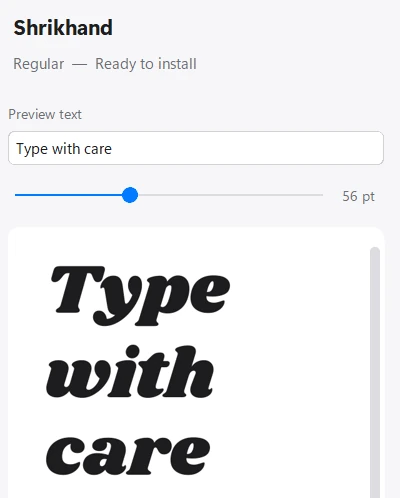
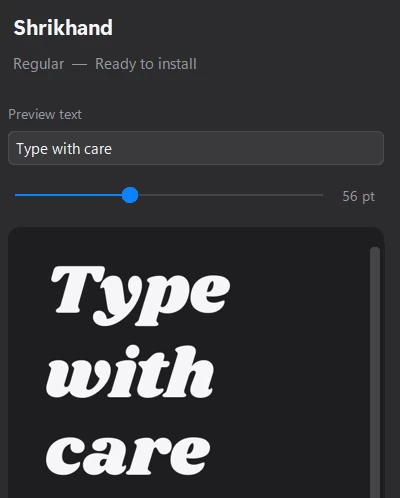
The window is built to look at home on Windows 11: sidebar, toolbar, sheets and banners in a macOS-inspired layout, with light and dark modes that follow Windows and can be pinned in Settings.
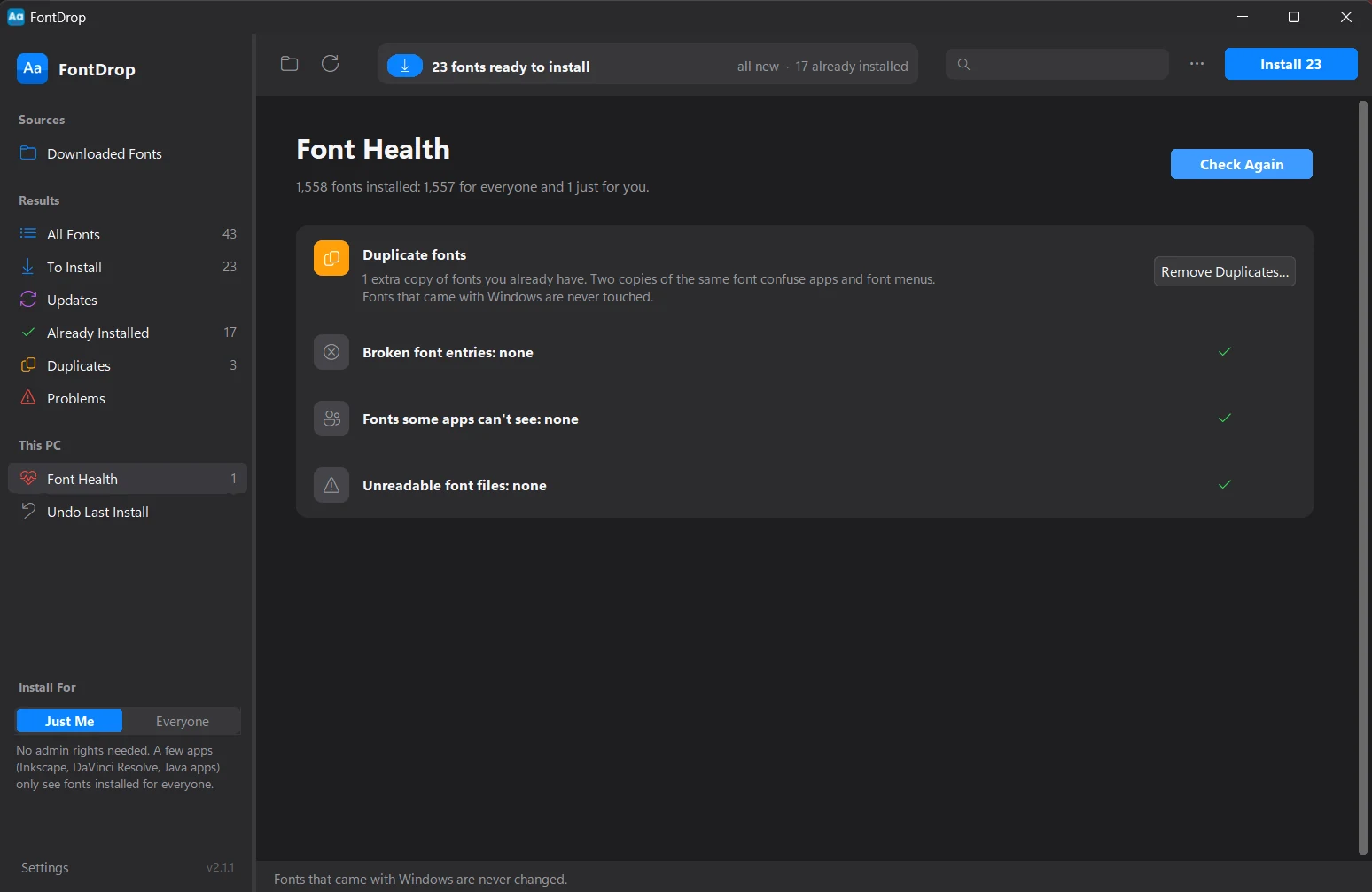
Installing new fonts is half the job. The other half is cleaning up what is already there. Font Health checks the PC for four things: duplicate fonts, broken font entries, fonts that some apps can't see, and font files Windows can't read. Each one gets a one-click fix.
The rule that shaped it: fonts that came with Windows are never touched. Duplicates are removed from the PC, and duplicate files in a scanned folder go to the Recycle Bin, not into thin air.
The “already installed” error is handled the same way. FontDrop treats a font with a dead registry entry as missing, and repairs the entry while installing.
The same engine runs without a window. FontDrop.exe --install --path "D:\Fonts" --scope machine --quiet installs everything new, exits with 0 on success and 1 if any font failed, and can be run across a studio full of PCs. An optional Explorer entry adds “Install fonts with FontDrop” to the right-click menu for any folder or zip.
Font tools tend to be either free and abandoned or paid and locked. I wanted neither, so FontDrop is free to use and every feature keeps working. After a 40-day trial, installing shows a polite reminder with a Continue button. If it saves you time, a one-time $25 license removes the reminder. Nothing renews and nothing is ever locked.
Licenses are signed keys checked on the PC itself, so there is no account and no internet needed to activate. Keys are issued by a small backend with an admin view for hand-issuing or revoking a license. I was honest in the code about what offline licensing can do: it stops casual sharing and gives honest buyers a clear path. It isn't hardened against someone determined, and I didn't try to make it so.
Updates that can't wedge themselves. FontDrop checks a public releases repository once a day, shows the release notes, then downloads the update, verifies it against the published SHA-256 and swaps it in after the app closes. An early version could flash a “Failed to load Python DLL” error after an update. The fix was to start the new copy completely independent of the old one.
Private source, public downloads. A tagged release automatically builds the .exe, its checksum and the installer, and publishes them to a separate public repo with the changelog as release notes. The source stays private.
Performance that you can feel. Searching waits for a pause in typing instead of rebuilding the list on every key. Dragging the sidebar and preview dividers no longer stutters. Dialogs and banners animate on fixed time curves rather than being resized frame by frame.
Privacy as a default. Fonts and folders never leave the PC. The only network traffic is the update check and, if the user opts in, anonymous usage counts with a random id and never a font name, file name, folder or email. The website counts visits without cookies and respects Do Not Track.
A tool like this lives or dies on whether people find it and trust it, so the product includes the pieces around the app: a website with docs, a changelog and guides for the exact searches people make (install fonts from a zip, font already installed error, install fonts for all users, bulk install fonts), a privacy policy, terms, and a looping demo video made in Remotion.
FontDrop also runs on macOS 11 and later, on Apple silicon and Intel. It does everything the Windows version does: nested zips, skipping fonts you already have, replacing older versions, finding duplicates, previews and undo.
It follows Mac conventions rather than copying Windows: a proper menu bar, ⌘ shortcuts, Settings in the FontDrop menu, and folders and zips dropped on the Dock icon or opened with Open With in Finder. “Just Me” installs to your Fonts folder. “Everyone” installs for every account and asks for an administrator password once for the whole install. Fonts that came with macOS are never replaced, removed or installed twice, and updates download the new app, check its checksum and swap it in, as on Windows.